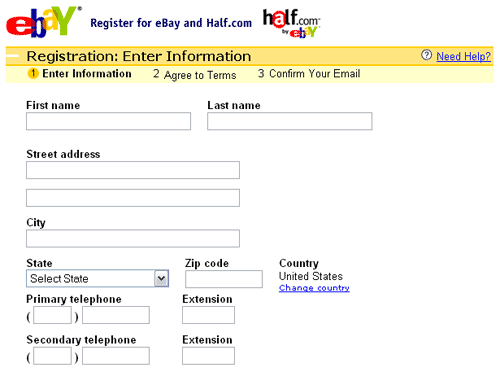
First of all you will need to register in www.ebay.co.uk (For American citizens – www.ebay.com). Do not register as a business at the beginning since you can do it later. While you are private seller, you have an option to refuse returns if the customer does not like the product or changed his mind. It might be very useful if you decide to sell valuable items.
You
will have to fill in your details, accept Ebay terms and conditions and also
choose a user name. Username will be an image of your brand so you have to take
this step very seriously. I would not recommend you to choose a username with
numbers unless it is your brand image. However, you can change your user name
later, but it could affect your brand loyalty to the customers (if you have
any). If you still have any problems with registering,
there is a step by step guide on eBay http://pages.ebay.co.uk/help/account/how-to-register.html#steps

Once
you have registered, you have to buy something on eBay to receive feedback. The
cheapest option is buying something from China sellers. You can find a bargain
on auctions and resell it for profit later. Before buying something, check the
seller’s ‘left feedback to others’ to make sure that seller is leaving
feedback.

After you win the auctions, pay for the items immediately. Usually sellers leave positive feedback straight away for the buyers once they complete the sale. At the same you can start boosting your feedback as a seller. I will give you some tips how to do that in my next blog.

After you win the auctions, pay for the items immediately. Usually sellers leave positive feedback straight away for the buyers once they complete the sale. At the same you can start boosting your feedback as a seller. I will give you some tips how to do that in my next blog.
Summary:
·
Register as a private seller on eBay
·
Choose an eye-catching username, preferably
without numbers
·
Buy about 10-15 items (if small budget – choose auctions
from Chinese sellers)
·
Pay immediately to receive positive feedback
(sellers cannot leave negative or neutral feedback)
·
Start boosting your feedback as a seller (find
out how in my next blog)

